Profitable Digital Product Categories
Tier 1: Highest Profit Potential
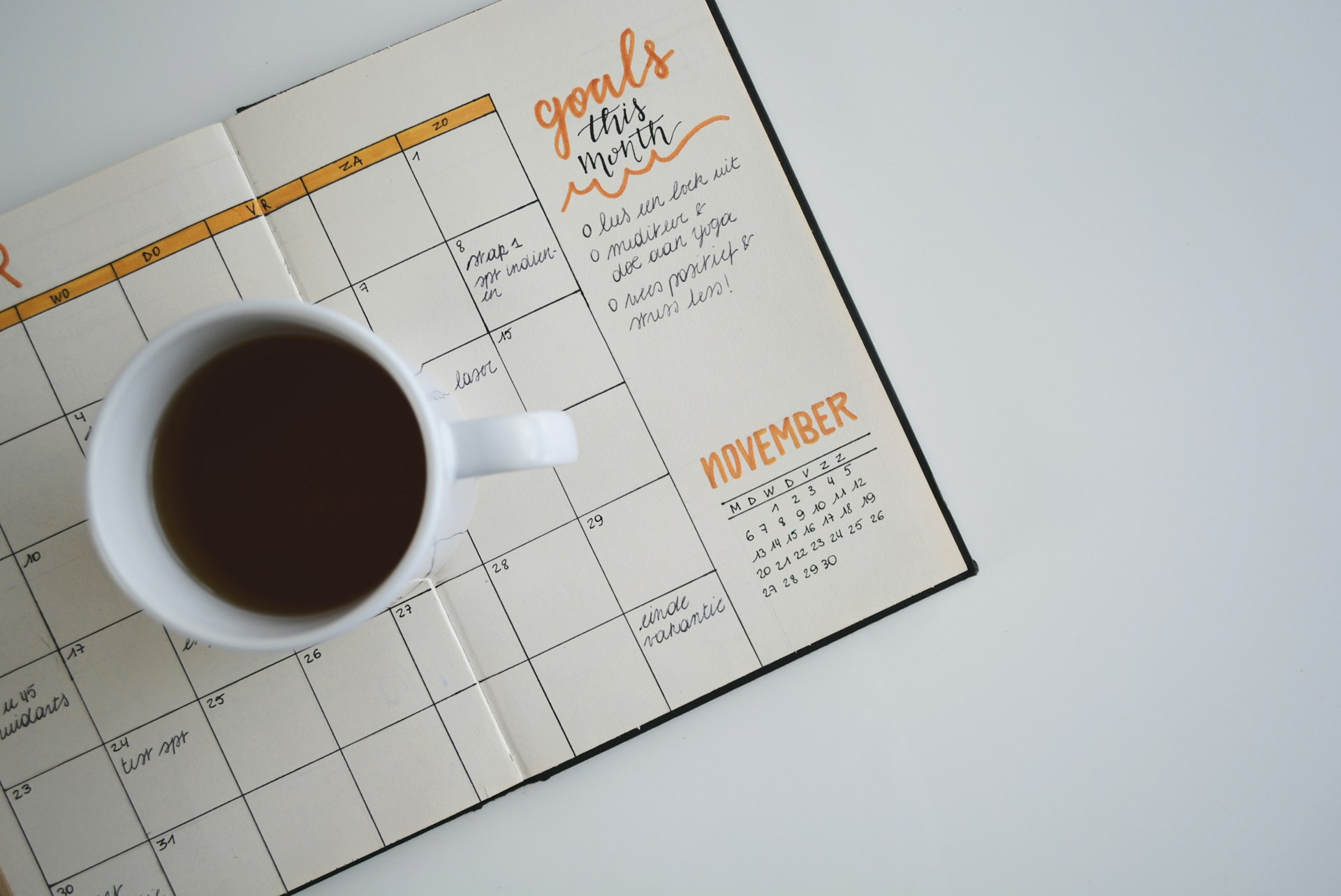
1. Printable Planners & Organizers
Market size: Massive
Competition: High but room for niches
Profit margin: 90%+
What sells:
• Digital planners for tablets (GoodNotes, Notability)
• Budget trackers and financial planners
• Fitness and meal planning bundles
• Wedding planning kits
• Home organization printables
• Goal setting worksheets
• Habit trackers
• Student planners
Income potential: $500-$10,000/month per product line
2. Canva Templates
Market size: Exploding
Competition: Medium
Profit margin: 95%
What sells:
• Social media templates (Instagram, Pinterest, TikTok)
• Business card templates
• Resume and CV templates
• Ebook and lead magnet templates
• Presentation templates
• Proposal and contract templates
• Media kit templates
• Course workbook templates
Income potential: $1,000-$15,000/month
3. SVG Files & Cut Files
Market size: Large (Cricut/Silhouette market)
Competition: High
Profit margin: 95%
What sells:
• Seasonal/holiday designs
• Inspirational quotes
• Wedding decorations
• Baby shower themes
• T-shirt designs
• Tumbler wraps
• Car decals
• Home decor signs
Income potential: $500-$8,000/month
Tier 2: Strong Consistent Sellers
4. Wall Art & Printable Art
What sells:
• Minimalist art prints
• Nursery art sets
• Gallery wall bundles
• Typography quotes
• Botanical illustrations
• Abstract art
• Affirmation posters
• Educational posters (kids)
Pricing: $3-15 per print, $20-50 for bundles
5. Notion Templates
What sells:
• Life dashboard templates
• Project management systems
• Content calendars
• Finance trackers
• Travel planners
• Reading logs
• Goal tracking systems
• Second brain setups
Pricing: $5-50 per template
6. Lightroom Presets
What sells:
• Film emulation presets
• Bright and airy looks
• Moody/dark aesthetic
• Travel photography
• Food photography
• Wedding photography
• Mobile presets (huge market!)
• Portrait retouching
Pricing: $5-30 per pack
Tier 3: Niche Gold Mines
7. Spreadsheet Templates (Excel/Google Sheets)
What sells:
• Business budget templates
• Inventory management
• Project trackers
• Wedding budget calculators
• Debt payoff calculators
• Investment trackers
• Small business bookkeeping
• Employee scheduling
Why it's gold: Less competition, higher prices ($10-75)
8. Educational Resources
What sells:
• Homeschool curricula
• Flashcard printables
• Activity books
• Teacher lesson plans
• Preschool worksheets
• Learning games
• Subject-specific resources
• Educational posters
Why it's gold: Teachers buy in bulk, come back for more
9. Digital Paper & Backgrounds
What sells:
• Seamless patterns
• Scrapbook papers
• Website backgrounds
• Invitation paper packs
• Holiday-themed papers
• Texture packs
• Planner backgrounds
• Commercial-use packs
Before creating anything, validate demand:
VALIDATION CHECKLIST:

□ Search term has 1000+ monthly searches (use eRank)
□ First page results have 100+ sales
□ First page reviews average 4.5+ stars
□ Room for improvement (better design/more value)
□ You can create unique angle/better quality
□ Price point matches your profit goals
□ Not saturated with identical products
Product Creation Secrets
Free Options:
• Canva (Free tier) - Templates, graphics
• Google Slides - Presentations, basic design
• Notion - Notion templates (obvious!)
• Google Sheets - Spreadsheet templates
• GIMP - Image editing
• Inkscape - SVG creation
Paid Tools (Worth It):
• Canva Pro ($13/month) - More assets, features
• Adobe Creative Cloud ($55/month) - Professional quality
• Affinity Suite ($170 one-time) - Adobe alternative
• Procreate ($13 one-time) - iPad illustration
• Figma Pro ($15/month) - Design system creation
AI Tools (Game Changers):
• Midjourney - Art generation
• DALL-E - Image creation
• ChatGPT - Copy, ideas
• Claude - Writing, analysis
• Ideogram - Text-in-image generation
The Bundling Strategy
Single products are leaving money on the table.
Bundle Psychology:
Single planner: $5
↓
Bundle of 12 planners: $15
↓
Perceived savings: 75%
Your profit increase: 3x per sale
Customer happiness: Higher (more value)
Bundle Formulas That Work:
The Value Stacking Method
Don't just sell a product. Sell a transformation.
Example: Budget Planner
❌ WEAK LISTING:
"Budget Planner PDF - $5"

✅ STRONG LISTING:
"Complete Financial Freedom Kit - $19

Includes:
• Monthly Budget Tracker (12 pages)
• Debt Payoff Calculator
• Savings Goal Tracker
• Bill Payment Organizer
• Net Worth Calculator
• Emergency Fund Tracker
• Expense Categories Guide
• 50/30/20 Budget Template
• Bonus: Video Tutorial Link
• Bonus: Private Community Access"
Same core product. 4x the price. Higher perceived value.
Quality Standards Checklist
BEFORE LISTING CHECKLIST:

Design Quality:
□ Professional-looking (would pay for this yourself?)
□ Consistent fonts and colors
□ Proper alignment and spacing
□ High resolution (300 DPI for printables)
□ Multiple file formats provided

User Experience:
□ Clear instructions included
□ Easy to use/customize
□ Tested by someone else
□ Mobile-friendly (if applicable)
□ Accessible colors/contrast

File Delivery:
□ Organized folder structure
□ Clear file naming
□ README file with instructions
□ All promised items included
□ Reasonable file size (under 20MB ideally)
Pricing Psychology That Prints Money
The Pricing Matrix
Psychological Pricing Tricks
1. The .97 Effect
$20.00 → $19.97

Feels cheaper. Same profit.
2. The Anchor Price
"Value: $150  →  Your Price: $35"

Shows savings. Increases perceived value.
3. The Decoy Effect
Basic:    $15 (5 templates)
Standard: $25 (15 templates) ← Target
Premium:  $30 (18 templates)

Standard looks like best value.
Most people choose Standard.
4. The Bundle Discount
Buy individually: $45
Bundle price: $29
You save: 35%!

Higher average order value.
Pricing Testing Strategy
WEEK 1-2: Test Price A ($15)
         Track: Views, Favorites, Sales

WEEK 3-4: Test Price B ($19)
         Track: Views, Favorites, Sales

WEEK 5-6: Test Price C ($12)
         Track: Views, Favorites, Sales

Compare: Revenue per view
Winner: Highest revenue per view
Etsy SEO Mastery
How Etsy Search Works
ETSY ALGORITHM FACTORS:

Query Matching (40%)
├── Title keywords
├── Tags (all 13!)
├── Categories
├── Attributes
└── Description keywords

Listing Quality (30%)
├── Conversion rate
├── Click-through rate
├── Favorites
├── Reviews
└── Complete listings

Shop Quality (20%)
├── Overall reviews
├── Shop age
├── Response time
├── Policies complete
└── About section filled

Recency (10%)
├── New listings boost
├── Renewed listings
└── Recent sales activity
Keyword Research System
Step 1: Find Keywords
Tools to use:
• Etsy search bar (autocomplete)
• eRank (free tier works)
• Marmalead
• Sale Samurai
Step 2: Categorize Keywords
Primary Keywords (highest search volume):
"digital planner" - 50K searches/month
"budget template" - 35K searches/month

Secondary Keywords (medium volume):
"goodnotes planner" - 15K searches/month
"financial tracker printable" - 8K searches/month

Long-tail Keywords (low volume, high intent):
"digital planner for ipad pro goodnotes" - 2K searches
"wedding budget spreadsheet template" - 1.5K searches
Step 3: Map to Listings
Each listing should target:
• 1 primary keyword (in title)
• 2-3 secondary keywords (in title)
• 10+ long-tail keywords (in tags)
Character limit: 140 characters
Formula:
[Primary Keyword] [Secondary Keyword] | [Benefit/Feature] | [Format/Compatibility]

Examples:

"Digital Planner 2024 Budget Tracker | GoodNotes Notability | Financial Planning iPad Planner Undated"

"Canva Instagram Templates Social Media Kit | Engagement Post Stories | Coach Small Business"

"SVG Bundle Christmas Ornaments | Cricut Silhouette Cut Files | Holiday Decorations Laser"
You get 13 tags. Use ALL of them.
Tag categories to include:
Tags 1-3: Primary keywords
Tags 4-6: Secondary keywords
Tags 7-9: Long-tail variations
Tags 10-11: Related searches
Tags 12-13: Seasonal/trending
Example for a Digital Planner:
1. digital planner
2. budget planner
3. goodnotes planner
4. financial planner digital
5. ipad planner
6. notability planner
7. digital planner 2024
8. budget tracker template
9. money planner printable
10. planning template
11. finance organizer
12. new year planner
13. undated planner
Category & Attributes
CRITICAL: Choose the most specific category possible.

Bad: Digital Downloads
Better: Digital Downloads → Templates
Best: Digital Downloads → Templates → Planners

Fill ALL attributes:
• Color (if applicable)
• Primary color
• Digital file format
• File format (PDF, PNG, etc.)
Listing Optimization Blueprint
The Perfect Listing Anatomy
┌─────────────────────────────────────────────────────────────┐
│                    LISTING STRUCTURE                         │
├─────────────────────────────────────────────────────────────┤
│                                                              │
│  PHOTOS (10 slots)                                           │
│  ├── 1. Main image (eye-catching mockup)                     │
│  ├── 2. All included items overview                          │
│  ├── 3. Feature highlight #1                                 │
│  ├── 4. Feature highlight #2                                 │
│  ├── 5. In-use/lifestyle mockup                              │
│  ├── 6. Close-up details                                     │
│  ├── 7. Comparison (before/after or value)                   │
│  ├── 8. Device compatibility                                 │
│  ├── 9. Testimonial/review screenshot                        │
│  └── 10. Call to action/bundle promo                         │
│                                                              │
│  VIDEO (optional but recommended)                            │
│  └── 5-15 second product walkthrough                         │
│                                                              │
│  TITLE                                                       │
│  └── Keyword-rich, benefit-focused                           │
│                                                              │
│  DESCRIPTION                                                 │
│  ├── Hook (first 2 lines shown in search)                    │
│  ├── What's included (detailed list)                         │
│  ├── Features and benefits                                   │
│  ├── How to use instructions                                 │
│  ├── File formats provided                                   │
│  ├── FAQ section                                             │
│  └── CTA and related products                                │
│                                                              │
│  TAGS (all 13 used strategically)                            │
│                                                              │
└─────────────────────────────────────────────────────────────┘
Photo Tips That Convert
Main Image Requirements:
• 2000x2000 pixels minimum (Etsy's new requirement)
• Clean white or brand-colored background
• Product clearly visible at thumbnail size
• Text overlay with key benefit (optional)
• Professional mockup (not flat file preview)
Free Mockup Sources:
• Canva (built-in mockups)
• mockupworld.co
• graphicburger.com
• pixeden.com
• freepik.com
Mockup Psychology:
❌ Flat file preview = Looks cheap
✅ Lifestyle mockup = Looks valuable

Show the product IN USE:
• Planner on iPad on marble desk
• Template on laptop in coffee shop
• Wall art in beautiful room setting
Description Template
✨ [HOOK - Address pain point or desire]

Are you tired of [problem]? This  helps you [benefit]!

━━━━━━━━━━━━━━━━━━━━━━━━━━━━━

📦 WHAT'S INCLUDED:

• [Item 1 with description]
• [Item 2 with description]
• [Item 3 with description]
• [Bonus item]
• [Another bonus]

Total value: [Higher number] — Your price: [Actual price]

━━━━━━━━━━━━━━━━━━━━━━━━━━━━━

⭐ KEY FEATURES:

✓ [Feature 1] - [Benefit]
✓ [Feature 2] - [Benefit]
✓ [Feature 3] - [Benefit]
✓ [Feature 4] - [Benefit]

━━━━━━━━━━━━━━━━━━━━━━━━━━━━━

📱 COMPATIBILITY:

Works with:
• GoodNotes 5 & 6
• Notability
• PDF annotation apps
• Print at home

File formats: PDF, PNG, JPG

━━━━━━━━━━━━━━━━━━━━━━━━━━━━━

🎯 HOW TO USE:

1. Purchase and download files
2. [Step 2]
3. [Step 3]
4. Start [achieving benefit]!

━━━━━━━━━━━━━━━━━━━━━━━━━━━━━

❓ FAQ:

Q: Can I print this?
A: Yes! Designed for both digital and print use.

Q: Will I get a physical product?
A: No, this is a digital download only.

Q: Can I use this commercially?
A: [Personal use only / Commercial license available]

━━━━━━━━━━━━━━━━━━━━━━━━━━━━━

💝 FROM THE SHOP:

Thank you for visiting [Shop Name]! We create [what you create]
to help you [benefit].

👉 Check out our other products: [link to shop section]
📌 Save 15% on bundles: [link to bundle]

━━━━━━━━━━━━━━━━━━━━━━━━━━━━━

🏷️ Related: [keyword], [keyword], [keyword]
Automation Systems
Set It and Forget It
The goal: Minimize time per sale while maximizing revenue.
Automation Stack:
1. Etsy (Native)
   └── Automatic digital delivery
   └── Message auto-replies

2. Email Marketing (Mailchimp/ConvertKit)
   └── Purchase follow-up sequence
   └── Review requests
   └── New product announcements

3. Social Scheduling (Later/Planoly)
   └── Pinterest pins on autopilot
   └── Instagram posts scheduled

4. Analytics (eRank/Google Sheets)
   └── Sales tracking
   └── Keyword performance
Automated Customer Communication
Auto-Reply Template:
Hi there! 👋

Thank you for your purchase!

Your files are available for immediate download.
Here's how to access them:

1. Log into Etsy
2. Go to Purchases & Reviews
3. Click "Download Files" next to your order

📌 Quick tips:
• Save files to your device for permanent access
• Download within 30 days (Etsy policy)
• Contact me if you have ANY issues!

If you love your purchase, I'd be SO grateful for a
5-star review. It helps my small shop grow! ⭐

Thank you again!
[Your Name]
Review Generation System
Day 0: Automatic delivery email (above)

Day 3: Follow-up email
"Hi! Just checking in - were you able to
download your files OK? Let me know if
you need any help!"

Day 7: Review request
"Hi! Hope you're loving your !
If you have a moment, I'd really appreciate
a review. It helps other customers find
exactly what they're looking for. 💕"

Day 14: If no review - Leave it alone
(Never be pushy)
Inventory Management
Even digital products need "inventory" management:
PRODUCT DATABASE:

Product ID: PLN-001
Name: 2024 Digital Budget Planner
Category: Planners
Created: Jan 2024
Last Updated: [date]
Sales: [number]
Revenue: [amount]
Status: Active
Files Location: [Google Drive link]
Keywords: [list]
Notes: [any issues or updates needed]
Monthly Review:
□ Update any dated products (planners, calendars)
□ Refresh listings with low views
□ Check for broken download links
□ Update keywords based on trends
□ Retire non-performers (under 5 sales in 90 days)
Scaling to $10K Monthly
The Math
TO HIT $10K/MONTH:

Option A: Low Price, High Volume
$10 average × 1,000 sales = $10,000

Option B: Medium Price, Medium Volume
$25 average × 400 sales = $10,000

Option C: High Price, Lower Volume
$50 average × 200 sales = $10,000

Reality: Mix of all, plus bundles
Scaling Strategies
Strategy 1: Horizontal Expansion
Start: Budget planners
Expand: Fitness planners
        Meal planners
        Wedding planners
        Student planners
        Business planners

Same format, different niches.
Strategy 2: Vertical Expansion
Start: Basic planner ($10)
Expand: Complete kit ($25)
        Ultimate bundle ($50)
        Flagship collection ($100)

Same niche, higher value.
Strategy 3: Format Expansion
Start: PDF planners
Expand: GoodNotes files
        Notability files
        Canva templates
        Notion templates
        Excel templates

Same content, different formats.
Traffic Sources Beyond Etsy
TRAFFIC FUNNEL:

Pinterest (FREE - Biggest opportunity!)
├── Create pins for each product
├── Pin consistently (10-25/day using scheduler)
├── SEO-optimize pin descriptions
└── Link to Etsy listings

Instagram
├── Share behind-the-scenes
├── Post product previews
├── Use relevant hashtags
└── Stories for engagement

TikTok
├── Create/design process videos
├── Tutorial content
├── Trending sounds + product
└── Link in bio to Etsy

Email List
├── Offer freebie to build list
├── Weekly value emails
├── New product announcements
└── Exclusive discounts

Blogging
├── SEO content about your niche
├── Link to Etsy shop
├── Free resources that lead to paid
└── YouTube video embeds
Pinterest Strategy Deep Dive
Pinterest = Google for visual discovery = Free traffic goldmine
Pinterest SEO:
Profile Name: "[Your Name] | [What You Sell]"
Example: "Sarah | Digital Planners & Templates"

Board Names: Keyword-rich
"Digital Planners for iPad"
"Budget Templates 2024"
"Wedding Planning Printables"

Pin Titles: Keyword-rich
"2024 Digital Budget Planner for GoodNotes | Financial Tracker"

Pin Descriptions: Full sentences with keywords
"This comprehensive digital budget planner helps you track
expenses, save money, and reach financial goals. Compatible
with GoodNotes, Notability, and any PDF app. Includes 50+
pages of budgeting templates, trackers, and worksheets.
#digitalplanner #budgetplanner #financialtracker"
Pin Design Formula:
• 1000x1500 pixels (2:3 ratio)
• Bold, readable text at thumbnail size
• Product mockup or lifestyle image
• Brand colors consistent
• Clear call-to-action (optional)
Legal and Tax Essentials
Licensing Your Products
Personal Use License (Standard):
"This product is for personal use only. You may not:
• Resell the files
• Share the files
• Use for commercial purposes
• Claim as your own creation"
Commercial Use License (Additional fee):
"Commercial license allows:
• Use in client work
• Use in products for sale (physical only)
• Use in your business materials

Does NOT allow:
• Reselling the digital file itself
• Sharing the source files
• Claiming as your own creation"
Tax Considerations
You're Running a Business:
1. Keep records of ALL income
2. Track ALL expenses (software, mockups, etc.)
3. Etsy sends 1099-K for $600+ in sales
4. Pay quarterly estimated taxes
5. Consider LLC for liability protection
Deductible Expenses:
• Software subscriptions (Canva, Adobe, etc.)
• Mockups and design assets
• Stock photos
• Education (courses, books)
• Computer/equipment (portion)
• Home office (portion)
• Internet (portion)
• Professional services (accounting, legal)
Consult a professional! Tax laws vary by location.
Protect Your Work
Copyright Protection:
• Your original work is copyrighted automatically
• Add copyright notice: © [Year] [Your Name/Business]
• Consider registering key products with copyright office
• Use watermarks on preview images
• Keep dated proof of creation
Dealing with Copycats:
If someone copies your work:

1. Document everything (screenshots)
2. Report to Etsy: Report Intellectual Property Infringement
3. Send cease and desist if severe
4. DMCA takedown notice if on other platforms
30-Day Launch Plan
Week 1: Foundation
Day 1-2: Research & Niche Selection
□ Analyze top sellers in 3 potential niches
□ Check demand (eRank/search volume)
□ Assess competition
□ Choose niche with best opportunity

Day 3-4: Product Creation
□ Create first product (quality over quantity)
□ Get feedback from friends/family
□ Iterate and improve

Day 5-7: Shop Setup
□ Create/optimize Etsy account
□ Write compelling About section
□ Set up policies (shipping, returns)
□ Create banner and profile photo
Week 2: Launch
Day 8-9: First Listing
□ Keyword research for product
□ Create listing with all optimization
□ Add all 10 photos + video
□ Write complete description

Day 10-12: Create More Products
□ Create 2-3 more products
□ Bundle original products
□ List each with full optimization

Day 13-14: Marketing Setup
□ Create Pinterest account
□ Design pin templates
□ Schedule first batch of pins
□ Set up email capture (optional freebie)
Day 15-17: Pinterest Push
□ Pin 10-25 pins daily
□ Join relevant group boards
□ Engage with others in niche

Day 18-19: Social Media
□ Post on Instagram
□ Create TikTok content (optional)
□ Share in relevant Facebook groups

Day 20-21: Analyze & Adjust
□ Review Etsy stats
□ Identify what's working
□ Double down on winners
□ Improve or retire losers
Week 4: Scale
Day 22-24: Expand Product Line
□ Create 2-3 more products
□ Test new price points
□ Create bigger bundles

Day 25-27: Optimize
□ A/B test titles
□ Update photos on low performers
□ Request reviews from buyers

Day 28-30: Systems
□ Set up automation
□ Create content calendar
□ Plan next month's products
□ Celebrate your progress! 🎉
Common Mistakes to Avoid
Mistake 1: Too Many Products, Not Enough Quality
❌ 50 mediocre products
✅ 10 exceptional products

Quality > Quantity (especially starting out)
Mistake 2: Ignoring SEO
❌ "Cute Planner"
✅ "Digital Planner 2024 Goodnotes Budget Tracker iPad"

SEO = Free traffic = Free money
Mistake 3: Underpricing
❌ $2 for 50-page planner (desperate pricing)
✅ $15-25 for same planner (confident pricing)

Low prices ≠ more sales
Low prices = attracting lowest-quality customers
Mistake 4: Copying Instead of Innovating
❌ Exact copy of top seller
✅ Inspired by top seller + your unique spin

Stand out or blend in. Your choice.
Mistake 5: Giving Up Too Soon
Month 1: $50
Month 3: $200
Month 6: $1,000
Month 12: $3,000+

The compounding happens later. Stay consistent.
Conclusion
Building an Etsy digital products empire isn't complicated. But it does require:
- Choosing the right products (validated demand)
- Creating quality (would you buy it?)
- Optimizing for discovery (SEO mastery)
- Marketing consistently (Pinterest especially)
- Iterating constantly (data-driven decisions)
The people making $10K+ monthly on Etsy aren't geniuses. They're consistent. They kept creating, kept optimizing, kept showing up.
Your advantage: You now have the exact blueprint they used to get there.
Your action items:
- Today: Pick your niche using the validation checklist
- This week: Create your first product
- This month: Launch with 5-10 optimized listings
- This quarter: Scale to 25+ products
- This year: Build your $10K/month empire
The opportunity is real. The strategies are proven. The only question is: will you execute?
Start today.

"The best time to start was yesterday. The second best time is now."
Tags: #Etsy #DigitalProducts #PassiveIncome #EtsyTips #OnlineBusiness #DigitalDownloads #Ecommerce #SideHustle #EtsySeller #PrintablesBusiness #EtsySuccess #WorkFromHome #MakeMoneyOnline #Entrepreneur





Comments · 0
Beta: comments are stored locally on your device and not visible to other readers.
No comments yet. Be the first to share your thoughts.